Media and New Technology Customized Search

Wednesday, April 30

How to store online

This post is related to "online storage" post. In this post i will explain in simple steps how you can store (and share) your files online, so that you could use this important Internet feature.

Of course the Internet is a black-hole that contains huge amounts of numbers of sites that helps us to enjoy this feature, so for that reason we wont talk about them all! We will talk about some of the best FREE sites between them, then maybe later you will learn the concept and be able to use any other site.


Picture files (jpg*, bmp, gif, etc...):-


There are many sites that you could store and share pictures that you know of (facebook, hi5, bebo...). But these sites listed below are limited to still images.


  • Kodak Gallery: Allows you to share, store, organize, edit, buy and sell photos. This site mainly concentrates on printing digital photos, on mugs, cards, calenders, etc... This site has a maximum limit of 150Mbs. To watch the video tutorial for that site click here. To create an account and get started on this site click here.


  • Snapfish: Owned by the HP Co. Aims to help us in storing unlimited numbers of digital photos, helps selling them, and offers us free pictures. To get started on snapfish click here. To see how it works click here.


  • Photo Bucket: Using this site you could also store video and music files. You could share, and link them to your personal or any other site or even to your blog. You could even make slide shows with music. To join.

Video files (mpg*, mpeg*, avi*...):-


Multimedia (Most if not all media files):-


  • MediaFire: (The one i use) Up to 100Mbs storage space. Lets you link your files to your website or blog. Very easy to use and not complicated at all. Signing up to this site doesnt take any effort at all. After you enter mediafire.com, on the top-right side you can easily create a new account or sign-in without even leaving the current window you are in. For more information how to use this site and why to chose it click here.


If you care to Back-up your files, here are some useful sites:-


  • Drive HeadQuarters: To sign up, make sure you know all the features and help you need from this link. You can download a software from this site that will back-up your files every time your Internet is on. Everything is explained on the homepage using articles and live demos. (Up to 1, 2 Gbs).


Mozzy: Allows 2 t0 3 Gbs of space. Also, all is explained in this site, nothing is complicated. To sign up, click here.


Posted by: Mayez Kabbara.

Tuesday, April 29

Word Press

Wordpress is a free blogging that helps you to create a complete website that deals with a certain topic and take over the whole business. With wordpress all you have to do is to add a free tool to your blog to convert it to a remarkable website. The readers won't even notice that they are visiting a blog.


How to make it work:


---> http://www.gnc-web-creations.com/wordpress-installation.htm


Download the wordpress to your pc, by Going to wordpress.org. In order to access the computer file, you have first to decompress it.
After that, you must modify certain things before uploading the file.
Change the file named "wp-config-sample" to "wp-config" inside the folder.
Then, include your data base information in the following things:


  • Insert The name of the database in the ('DB_NAME', 'wordpress')

  • Insert MySQL database username in the ('DB_USER', 'username')

  • Insert The password of the database in the ('DB_PASSWORD', 'password')

  • Insert The database host in the ('DB_HOST', 'localhost')


Define ('DB_NAME', 'wordpress'); // the name of the database
Define ('DB_USER', 'username'); // Your MySQL username
Define ('DB_PASSWORD', 'password'); // ...and password
Define ('DB_HOST', 'localhost'); // chance you won't need to change.


You only have to change the highlighted area, and make sure not to remove the quotes. Once you have completed this, save the changes you have made.


Upload WordPress Files
Do not uplod the folder itself, but the files within the wordpress folder, by using your ftp program. But if you want a free ftp program, you have to go to filezilla.


Begin the WordPress Installation
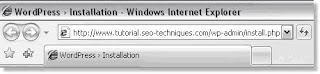
To begin the WordPress installation, you will need to run the WordPress installation script by accessing the wp-admin/install.php file from your browser window.

Example: http://www.madeupsite.com/wp-admin/install.php
In the address bar of your browser window, enter the URL of the domain or subdomain where you uploaded the WordPress files to, followed by: wp-admin/install.php

When you click the First Step link, a new window will open:


  1. Enter the name you have selected for your blog.

  2. Enter your email address and double check it before continuing.

  3. Place a check in the box for I would like my blog to appear in search engines like Google and Technorati. (This is important!)

  4. Click "Continue to Second Step".


Once you have followed the instructions on each new window, your blog will be created automatically for you. Make sure to save the user name and password provided.


Posted by: Ghyna Kurdy

http://codex.wordpress.org/Installing_WordPress

Sunday, April 27

Dear guests:


I've been told that my posts tend to be somehow geeky... so hopefully to resolve this problem i will do my best to make my incoming posts less complicated and more intimate.

Thank you
Mayez Kabbara

Tuesday, April 22

E-Disk® Altima™ Ultra320 SCSI 3.5" Flash Solid State Drive

The Altima E3S320 solid state is the first in the 3.5-inch format to advertise a capacity above 1TB. According to www.cnet.com: "BitMicro launched a solid-state 1TB drive last year but only for users of the Fiber Channel data-transfer format." The latest product was announced in the beggining of February 2008; it has a SCSI (Small Computer System Interface). The Altima Ultra320 SCSI model is expected to ship a new volume in the close end of this year. CNET published: "the company spokesman said. "These models are targeted towards military, enterprise, and industrial applications requiring rugged high capacity and high performance"

http://www.news.com/BitMicro-announces-1.6TB-solid-state-drive/2100-1006_3-6229730.html?tag=item
http://www.bitmicro.com/products_edisk_altima_35_u320.php
http://www.bitmicro.com/glossary_i-l.php#LUNETA
http://www.pcguide.com/ref/hdd/index.htm

How to improve your blog

Here are 7 simple ways to help you improve your blog:-


  1. To develop the measure of the online promotional success of a web page or website, you can insert a group of links to your post or page. This procedure can be applied in 10 minutes, and can support your post by defining the specific keywords by including hyperlinks to your post.

  2. In less than 20 minutes, you can make your blog more popular, by inviting your available friends on any social networking website such as facebook or hi5.

  3. Try to find out when it’s the best day that gets more eyes on your blog to publish your best posts.

  4. Give more weight to precise details such as the title, the first paragraph, the commencement of your post which are supposed to pull the readers towards your post and push them to read it. In addition try to avoid grammatical mistakes that bother the reader.

  5. Try to find out what is the best issue that gets traffic to your blog, by publishing the most up-to-the-minute that concerns the majority and can be understood with a very little effort, thus you will be able to grab the attention of readers.

  6. Take advantage of the titles and subtitles that cover the up-to-date magazines, because as we mentioned before the heading play an indispensable role in attracting people. Actually the title is the key of post’s hit. And you can visit “the Cosmo headline technique for blogging inspiration” to get a hold of useful titles.

  7. One of the most essential things is to reply people’s comment, in this way you can make sure guests the visitors of your blog will go to see it over and over again, thus you can exchange ideas, converse, communicate, answer their questions, discuss several issues and encourage them to comment again.

These information had been taken from: www.problogger.net

Posted by: Ghyna Kurdy...

Monday, April 21

Blog: Post footer

To answer Nabiha's question:-
If you want to know how to change the post footer all you have to do is to click on "Layout", then "Page Elements", you can then either click on the "Edit" in the "Blog Posts". A pop-up window will then appear (similar to the picture below):-


The post footer contains many elements like posted by line, timestamps, labels, backlinks, ads between posts, comments, etc...


If you want to change the author's name: (You can do this but it will effect the rest of your posts) Go to "Dashboard" (On the right-up), then click on "Edit Profile" on the right, then on the "Identity" section, change the "Display Name" then save...


If you want to show different names, Go to "Layout", then "Edit Html". First, backup template by clicking on "Download Full Template". Then put a check in "Expand Widgets Template" text box. Then go down in between the codes and search for these sentences:-


Delete:-


in the fourth line and change it with your nickname.

Then preview and Save Template.


If you want to insert author picture in the post footer:-

Delete the same piece of code in the above example and insert this line :-

Then preview and save template.


For more information on "Blogs" and "Post footers", please visit these blogs below:-
http://betabloggerfordummies.blogspot.com/
http://tips-for-new-bloggers.blogspot.com/

Posted by: Ghyna Kurdy...

Sony's first full-spec Blu-ray players outed

What is the need of a great capacity of storage if we don't have a reader or a player? Blu-ray is what is coming but how can we enjoy this new technology? Sony just released its first full-spec BD players. Ofcourse we know that PS3 is using this technology but the BDP-S350 and BDP-S550 are the first fully specced-up Blu-ray players. These great Japanese creations are deisgned to get the maximum out of BD's features and new technology.


BDP-S350


  • 1GB of built-in storage.
  • 5.1-channel analogue audio outputs.
  • Full HD 1080p pictures at 24 frames per second.
  • Lossless Dolby and DTS surround sound.
  • PIP Bonus View for cast and crew commentary.
  • Ethernet connection for broadband which will be accessible with the software upgrade BD-Live. This will allow you to download bonuses such as trailers and games (The player should carry a MSRP (Manufacturer Suggested Retail Price) of around $400.00).


BDP-S550


  • 1GB of built-in storage.
  • 7.1-channel analogue audio outputs.
  • Full HD 1080p pictures at 24 frames per second.
  • Lossless Dolby and DTS surround sound.
  • PIP Bonus View for cast and crew commentary.
  • Already be BD-Live (MSRP: $500.00)

So for those waiting for the next generation of Blu-ray players, you have just been informed the beggining of it :)


P.S.: These decks are US-only so far, and won't even be landing Stateside until this summer.

Posted by: Mayez Kabbara...

Wednesday, April 16

Other Media and New Technology Blogs:-

Ofcourse FIRST, there is our blog.. Which you should ALL keep in mind: "http://mayez-mediaandnewtechnologiesblog.blogspot.com/ (Mayez and Ghyna)". Then we have other important blogs, please make a visit to all if you can:-

http://khatibtechno.blogspot.com/ (Doriss & Sabah)http://medianewtechnologies.blogspot.com/ (Tala and Rawan)
www.my-bots.blogspot.com (Ronda & Robert)
www.ro-blogtechnos.blogspot.com (Mayssa & Farah)
www.friendlytechat.blogspot.com (Fady & Laure)
www.humanvsnewtechnologies.blogspot.com (Helen & Marny )
http://nonnatech.blogspot.com (Nabiha & Nour)
http://www.jccooltech.blogspot.com/ (Crystal and Jana)
www.patch1hotmailcom.blogspot.com (Fahed and Hani)
http://www.dando0n.blogspot.com/ (Marwan and Dana)

Tuesday, April 15

Introduction: How to make a Blog?

Now, thanks to Blogger.com, we can easily create blogs in 3 simple steps. Which are:-
  1. Create an account
  2. Name blog
  3. Choose template

And then BOOM! There you go.. You created yourself a personal online diary.. or in other words, a 'blog'.

To start, click hear --> CREATE A BLOG NOW!

Introduction: What is a 'Blog'


What's a blog?

"A blog is a personal diary. A daily pulpit. A collaborative space. A political soapbox. A breaking-news outlet. A collection of links. Your own private thoughts. Memos to the world.
Your blog is whatever you want it to be. There are millions of them, in all shapes and sizes, and there are no real rules.
In simple terms, a blog is a web site, where you write stuff on an ongoing basis. New stuff shows up at the top, so your visitors can read what's new. Then they comment on it or link to it or email you. Or not.
Since Blogger was launched in 1999, blogs have reshaped the web, impacted politics, shaken up journalism, and enabled millions of people to have a voice and connect with others.
And we're pretty sure the whole deal is just getting started."


In my blog, i chose to talk about the topic 'blog' for many specific reasons:-
First, our teacher came up with a new idea to give a virtual class through blog, where we can keep in touch, communicate and interact with each others, and to me, it was a new experience. Second, it’s gonna be an interesting and useful topic to help the whole class improving their blogs and avoiding facing any problem.
Third, because it is a new technology that is also related to media. Just as our teacher wanted.


How can we define blog?

Blog:-

  1. Noun: A shared on-line journal where people can post diary entries about their personal experiences and hobbies; "postings on a blog are usually in chronological order.
  2. Verb: read, write, or edit a shared on-line journal

WordNet® 3.0, © 2006 by Princeton University.

How is blog useful?

Publish Posts


Get Feedbacks

Design your Blog

Find People

Go Mobile

Blog provides explanations and information for a certain topic; moreover, you can use it as a personal blog, where u can write day-to-day experiences, social interpretations, criticisms, poems, political thoughts and other things that might be found in a traditional paper diary or journal. Usually, the blog combines text, images, and links to other blogs, web pages, and other media related to its topic. The ability for readers to leave comments in an interactive format is an important part of many blogs. Most blogs are mostly textual, although some focus on art (artlog) specially visual arts, including media such as painting, printmaking.. or photoblog which is a form of photo sharing and publishing in the format of a blog, but differentiated by the predominant use of and focus on photographs rather than text, or videos (vlog), music (MP3 blog), audio (podcasting) are part of a wider network of social media. Micro-blogging is another type of blogging which consists of blogs with very short posts. As of December 2007, blog search engine Technorati (http://www.Technorati.com) was tracking more than 112 million blogs!

Hope that these information could help, or at least as a begining, in making you understand blog, how to use it, and how 2 develope it.